nCare home
The Ecosystem

A whole practice.
Working together.

Your team follows the patient from referral to payment. Too often, the information doesn’t follow with them.

Follow the work

One patient journey.
Too many places to look.

  1. Before the visit

    A referral in the fax queue. Coverage in a payer portal.

  2. During care

    A visit in the EHR. Follow-up waiting in another inbox.

  3. At billing

    A claim on hold while someone finds the supporting record.

nCare brings the teams, workflows and systems together, so each handoff carries what the next person needs.

From referral to revenue

Follow the patient.
Keep the context.

Coverage informs the visit. The visit informs the claim. Each team needs the information gathered before them.

01 · Intake and Access

Know what is ready before the patient arrives.

Referrals, coverage and patient preparation belong in the same workflow. Your front desk can see what is ready and what still needs attention.
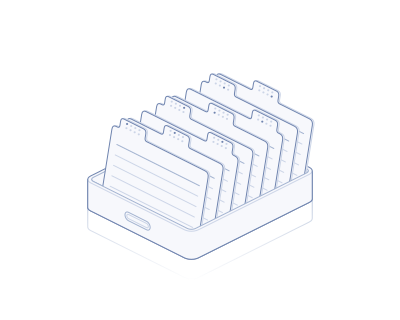
01 / 03From an incoming referral to a prepared visit.
  1. Referral
  2. Coverage
  3. Visit ready
What’s included
Capture the referral
Read incoming documents and flag missing information.
Check coverage
Eligibility checks, with prior authorization tracking and follow-up.
Prepare the patient
Forms, mobile access, scheduling, calls and texts.
Front desk + intake teamExplore this module
02 · Care Management

Follow up between visits. Document during them.

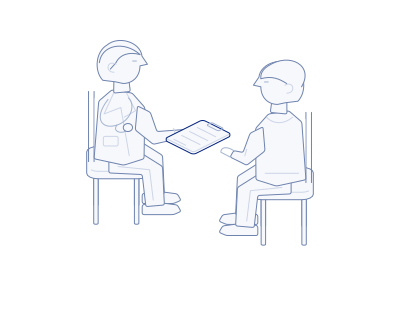
Care coordinators review readings and check in with patients. Scribe prepares visit notes for physician review.

02 / 03The patient, clinician and care plan.
  1. The visit
  2. Scribe
  3. Ongoing care
What’s included
Between visits
Chronic care management, remote patient monitoring and principal care management.
During the visit
Scribe turns the conversation into a draft note for physician review.
Patient follow-up
Readings, outreach and documentation support the care team’s follow-up.
Physician + care teamExplore this module
03 · Revenue Intelligence

Follow the record through to payment.

Billing needs the context behind the claim. Keep documentation, checks and follow-up connected, with billing and AR staff reviewing exceptions.

03 / 03The supporting record stays close to the claim.
  1. Coding
  2. Claim
  3. Payment
What’s included
Prepare the claim
Coding intelligence and claim checks support billing review.
Work the response
Denial follow-up and appeal drafts with supporting records.
Reconcile payments
Match payments, post them and follow up on open balances.
Billing + accounts receivableExplore this module
Practice Operations · Behind every stage

The support that keeps
the practice running.

Contracts, provider enrollment and staff access affect every handoff. nCare’s operations team works with your practice to keep them on track.

Explore Practice Operations
Contracts
Terms, obligations and renewals in view.
Credentialing
Provider and payer requirements, with follow-through.
HR and IT
People, access and day-to-day operational support.
HemiConnect · The integration layer

Your systems stay.
The work connects.

EHR
Practice management
Payer portals
Fax & documents
Clearinghouse
Calls & messages
Your systems. Connected work.
One practice. Information in separate places.HemiConnect brings the records together.

The record goes
with the work.

Coverage with the referral.
Intake can review the payer response alongside the request.
Documentation with the claim.
Billing has the visit record it needs for review.
Connecting your systems

HemiConnect uses direct connections and supported application workflows. We review your EHR, practice management system, clearinghouse and payer access, then agree the information, responsibilities and review steps.

Hemi is EHR-agnostic. Compatibility and the exact setup are confirmed during that review.

Discuss your systems
Hemi · The AI platform

Connected information.
Help with the next step.

Hemi prepares the work. Your team reviews exceptions and makes the decisions.

Illustrative handoff · Vision AI

A referral is read. A missing detail is flagged.

AI prepares. People review.
Vision AI

Read the document.

How it works

Referrals, insurance cards, remittances and contracts. Uncertain details are flagged for review.

Echo

Call and text patients.

How it works

Appointment confirmations, missing forms and care-program check-ins. Conversations that need attention go to staff.

Navi

Handle tasks across practice systems.

How it works

Navi navigates the applications involved in a workflow, helps complete routine steps and brings exceptions back to the team.

EPA

Check eligibility. Track prior auth.

How it works

EPA runs real-time and portal-based eligibility checks. Staff use authorization tracking to follow up on requests, missing records and payer responses.

Codi

Flag coding issues before submission.

How it works

Codi suggests codes and flags modifier or documentation questions. Billing staff review the suggestions, with clinical questions returned to the clinician.

The whole practice

Different teams.
A shared way forward.

EHR & practice managementPayer systems & clearinghouseFax, phone & email
Revisit an area of the practice.
Where to begin

Start with the work
that keeps getting stuck.

We can start with one workflow and build from there.

Choose the workflow
Trace where information or follow-up gets held up.
Agree the responsibilities
Define access, tasks and the decisions your team reviews.
Keep the work in view
Establish how progress, exceptions and follow-up are reported.
Let’s look at your practice Security, access & trust ↗